Kubernetes Automation
Kubernetes Automation enables seamless creation and management of Kubernetes clusters. It provides a step-by-step guide on deploying clusters with configurable networking, node groups, and authentication settings. Additionally, it covers essential AWS and custom add-ons to enhance cluster functionality, along with best practices for organizing resources through tagging.
EKS Deployment Guide
Prerequisites
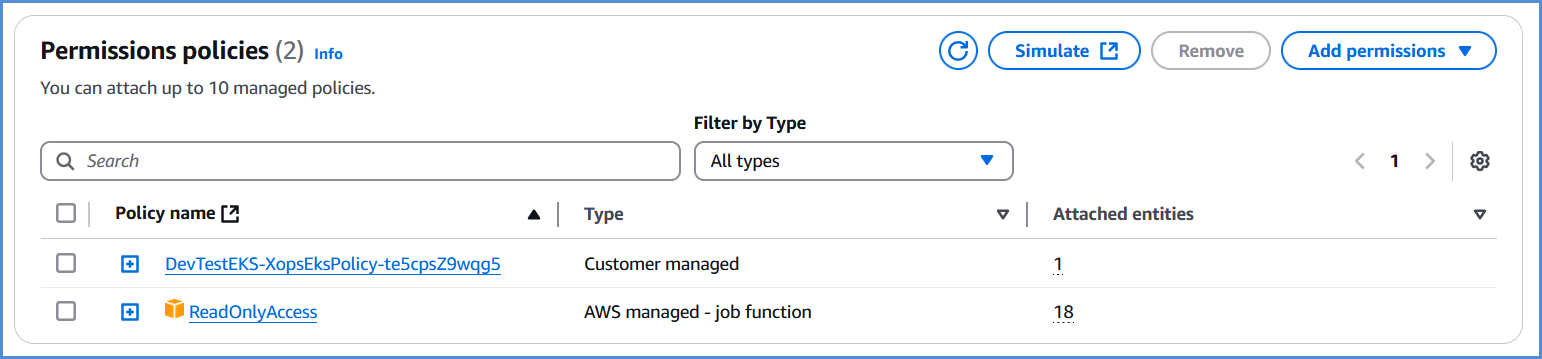
- Before deploying EKS, ensure that the AWS role created via the Xops 360 portal has the necessary permissions. If no policies are found, please add an AWS account for EKS deployment.
{
"Version": "2012-10-17",
"Statement": [
{
"Action": [
"ec2:AuthorizeSecurityGroupIngress",
"ec2:DescribeInstances",
"ec2:AttachInternetGateway",
"iam:PutRolePolicy",
"iam:AddRoleToInstanceProfile",
"ec2:DeleteRouteTable",
"eks:DescribeAddon",
"ec2:RevokeSecurityGroupEgress",
"ec2:CreateRoute",
"ec2:CreateInternetGateway",
"ec2:DeleteInternetGateway",
"iam:ListRolePolicies",
"iam:DeleteOpenIDConnectProvider",
"iam:GetRole",
"iam:GetPolicy",
"ec2:CreateTags",
"iam:ListEntitiesForPolicy",
"iam:DeleteRole",
"ec2:RunInstances",
"ec2:DisassociateRouteTable",
"ec2:ReplaceNetworkAclAssociation",
"ec2:RevokeSecurityGroupIngress",
"ec2:DeleteNatGateway",
"eks:UpdateNodegroupConfig",
"eks:ListClusters",
"iam:GetOpenIDConnectProvider",
"ec2:CreateSubnet",
"ec2:DescribeSubnets",
"ec2:DeleteNetworkAclEntry",
"iam:CreateInstanceProfile",
"ec2:DisassociateAddress",
"ec2:CreateNatGateway",
"ec2:CreateVpc",
"ec2:DescribeAddressesAttribute",
"ec2:DescribeVpcAttribute",
"iam:ListInstanceProfilesForRole",
"iam:PassRole",
"ec2:DescribeAvailabilityZones",
"iam:DeleteRolePolicy",
"sts:DecodeAuthorizationMessage",
"ec2:DeleteLaunchTemplateVersions",
"ec2:DeleteNetworkAcl",
"eks:CreateCluster",
"iam:DeleteInstanceProfile",
"ec2:ReleaseAddress",
"ec2:DeleteLaunchTemplate",
"eks:UntagResource",
"eks:AssociateAccessPolicy",
"eks:UpdateAccessEntry",
"ec2:DescribeSecurityGroups",
"iam:CreatePolicy",
"iam:CreateServiceLinkedRole",
"ec2:CreateLaunchTemplate",
"ec2:DescribeVpcs",
"eks:TagResource",
"eks:CreateAccessEntry",
"iam:UpdateAssumeRolePolicy",
"iam:GetPolicyVersion",
"ec2:DeleteSubnet",
"iam:RemoveRoleFromInstanceProfile",
"iam:CreateRole",
"iam:AttachRolePolicy",
"eks:UpdateClusterConfig",
"ssm:GetParameter",
"ec2:AssociateRouteTable",
"ec2:DescribeInternetGateways",
"eks:DescribeNodegroup",
"iam:DetachRolePolicy",
"iam:ListAttachedRolePolicies",
"ec2:DescribeNetworkAcls",
"ec2:DescribeRouteTables",
"eks:ListNodegroups",
"ec2:DescribeLaunchTemplates",
"ec2:CreateRouteTable",
"ec2:DetachInternetGateway",
"eks:DescribeAccessEntry",
"eks:DeleteCluster",
"eks:DeleteNodegroup",
"ec2:DescribeInstanceTypes",
"eks:CreateAddon",
"eks:DescribeCluster",
"ec2:DeleteVpc",
"eks:DeleteAccessEntry",
"eks:UpdateClusterVersion",
"ec2:DescribeAddresses",
"ec2:DeleteTags",
"iam:DeletePolicy",
"eks:UpdateNodegroupVersion",
"eks:ListAssociatedAccessPolicies",
"ec2:DescribeNetworkInterfaces",
"ec2:CreateSecurityGroup",
"ec2:CreateNetworkAcl",
"ec2:ModifyVpcAttribute",
"ec2:AuthorizeSecurityGroupEgress",
"ec2:DeleteRoute",
"ec2:DescribeLaunchTemplateVersions",
"ec2:DescribeNatGateways",
"eks:CreateNodegroup",
"ec2:AllocateAddress",
"ec2:CreateLaunchTemplateVersion",
"iam:CreateOpenIDConnectProvider",
"ec2:DescribeImages",
"iam:ListPolicyVersions",
"eks:DeleteAddon",
"eks:DescribeUpdate",
"eks:DisassociateAccessPolicy",
"ec2:DeleteSecurityGroup",
"ec2:CreateNetworkAclEntry"
],
"Resource": "*",
"Effect": "Allow",
"Sid": "EksPermissions"
},
{
"Action": [
"lambda:GetFunction",
"secretsmanager:GetSecretValue",
"iam:ListAccessKeys",
"s3:GetObject",
"codecommit:GitPull"
],
"Resource": "*",
"Effect": "Deny",
"Sid": "ExplicitDeny"
}
]
}
EKS Deployment
- Log in to the Platform
- Access the platform and sign in using your credentials.
- Navigate to CloudOps
-
Locate the Navigation Bar on the left-hand side of the screen.
-
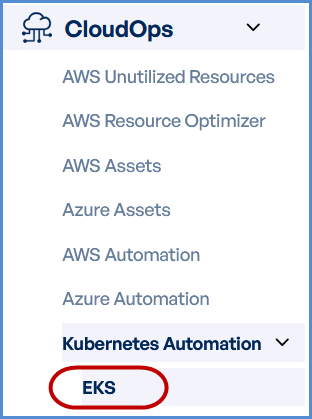
Navigate to Kubernetes Automation, then select EKS.
-
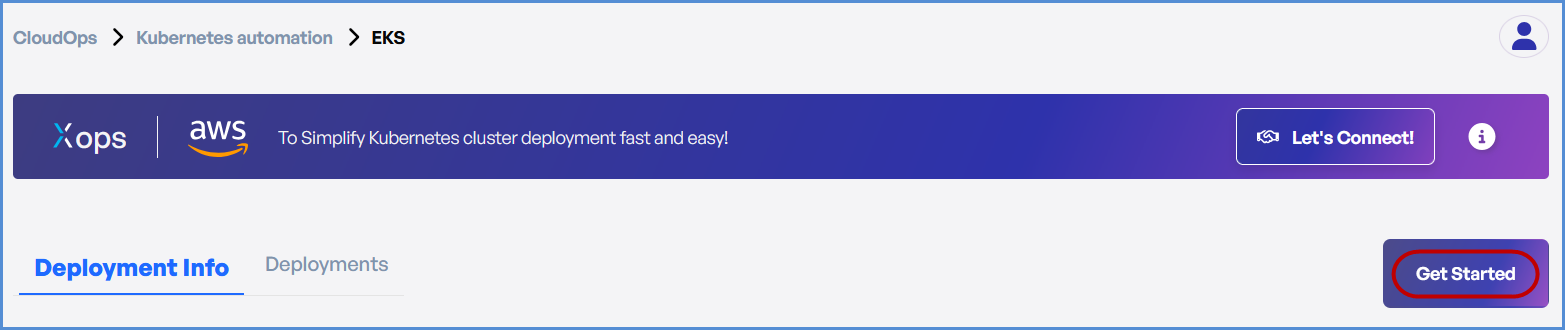
- Click on Get Started on EKS page.
AWS Account Selection
Choose based on your requirement:
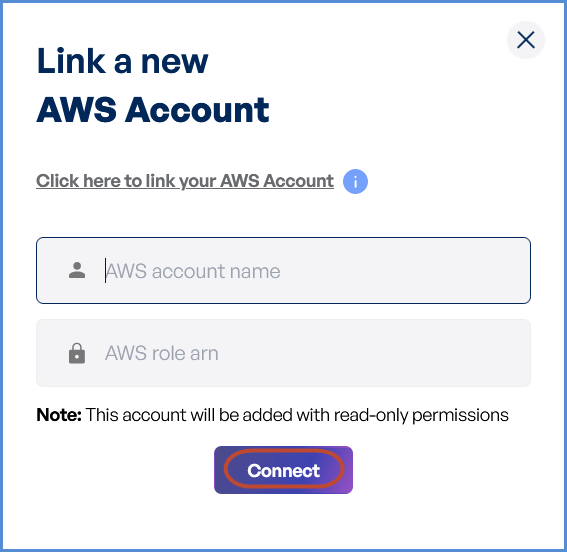
- If an AWS account has not been added:
- Click on New Account.
- Provide a suitable name in the AWS Account Name field.
- Paste the copied AWS Role ARN into the designated field.
Note: Follow Initiating Account Integration steps to retrieve the AWS Role ARN and connect your AWS account.

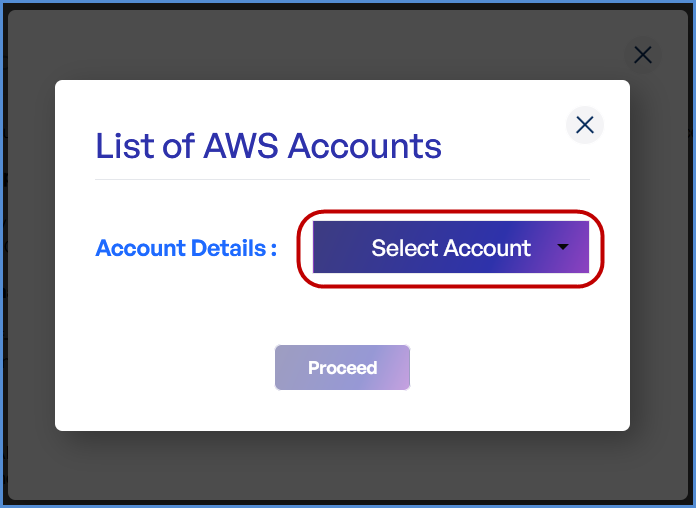
- If an AWS account is already integrated:
- Click on Existing Account.
- Select Select Existing Account.
- Choose the desired AWS account from the list.
- Click Proceed.
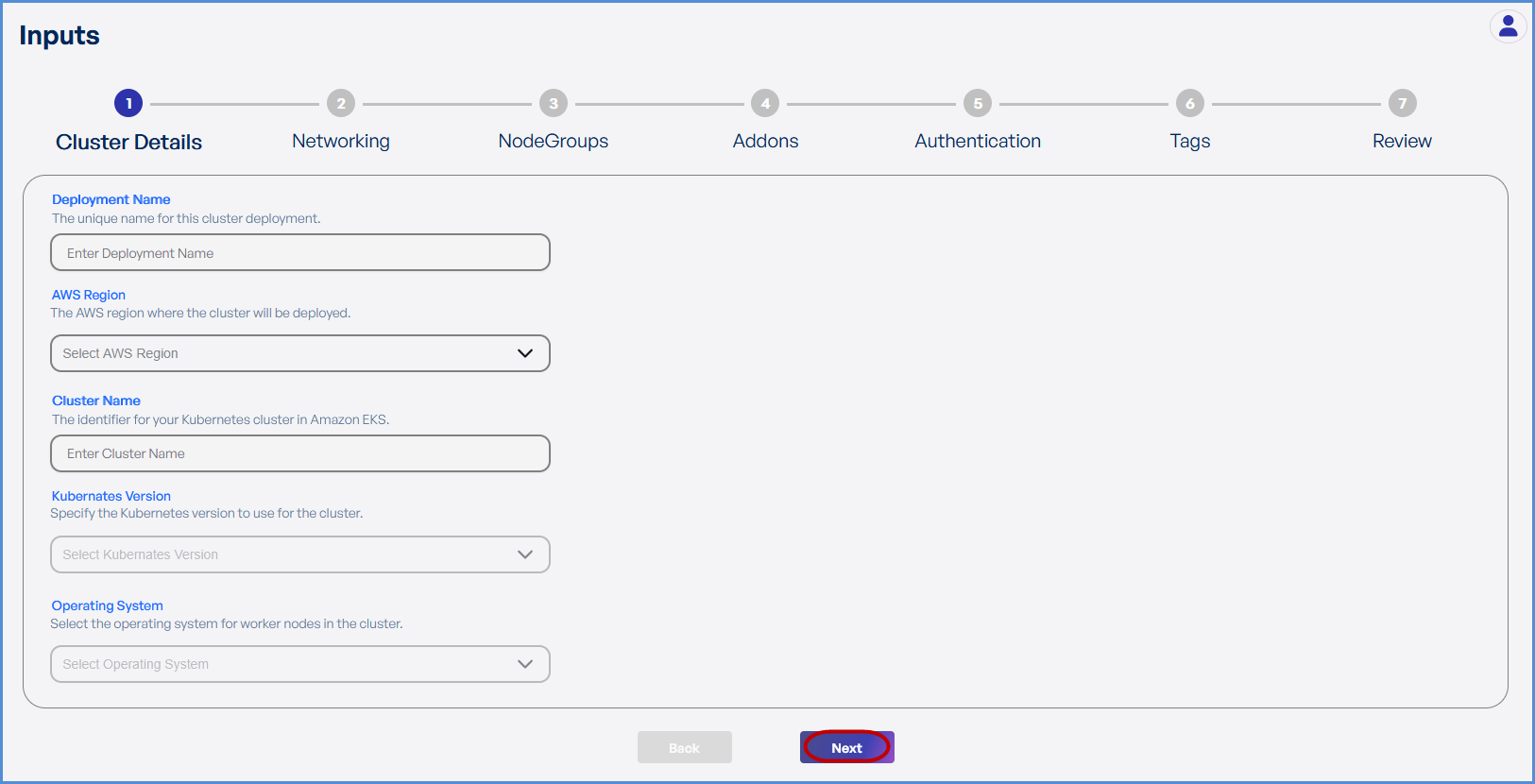
Step 1: Cluster Details
- Enter a unique Deployment Name.
- Select the preferred AWS Region from the dropdown for deploying the Elastic Kubernetes Service (EKS).
- Enter the preferred Cluster Name.
- Choose the required Kubernetes Version from the drop down.
- Select Amazon Linux 2 as the Operating System.
- Click Next to proceed.
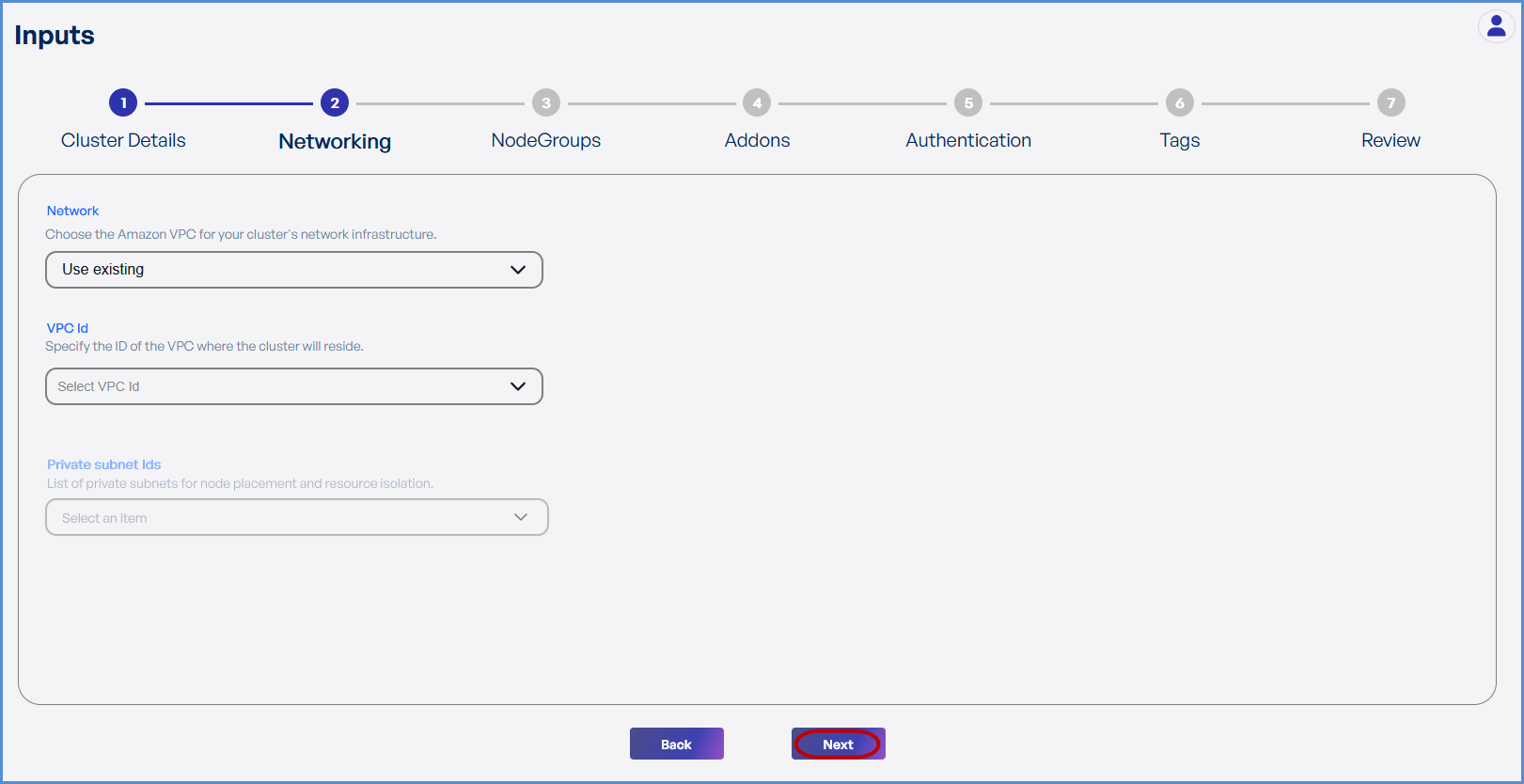
Step 2: Networking
Choose based on your requirement:
- If an existing VPC is available in the selected region:
- Select Use Existing.
- Choose the VPC ID from the drop down.
- Select the two Private Subnets with different Availability Zones from the list of all subsets in the drop down.
- If a new VPC is required:
- Select Create New.
- Enter the VPC CIDR.
- Add Public and Private Subnets with different Availability Zones as needed.
-
Click Next to continue.

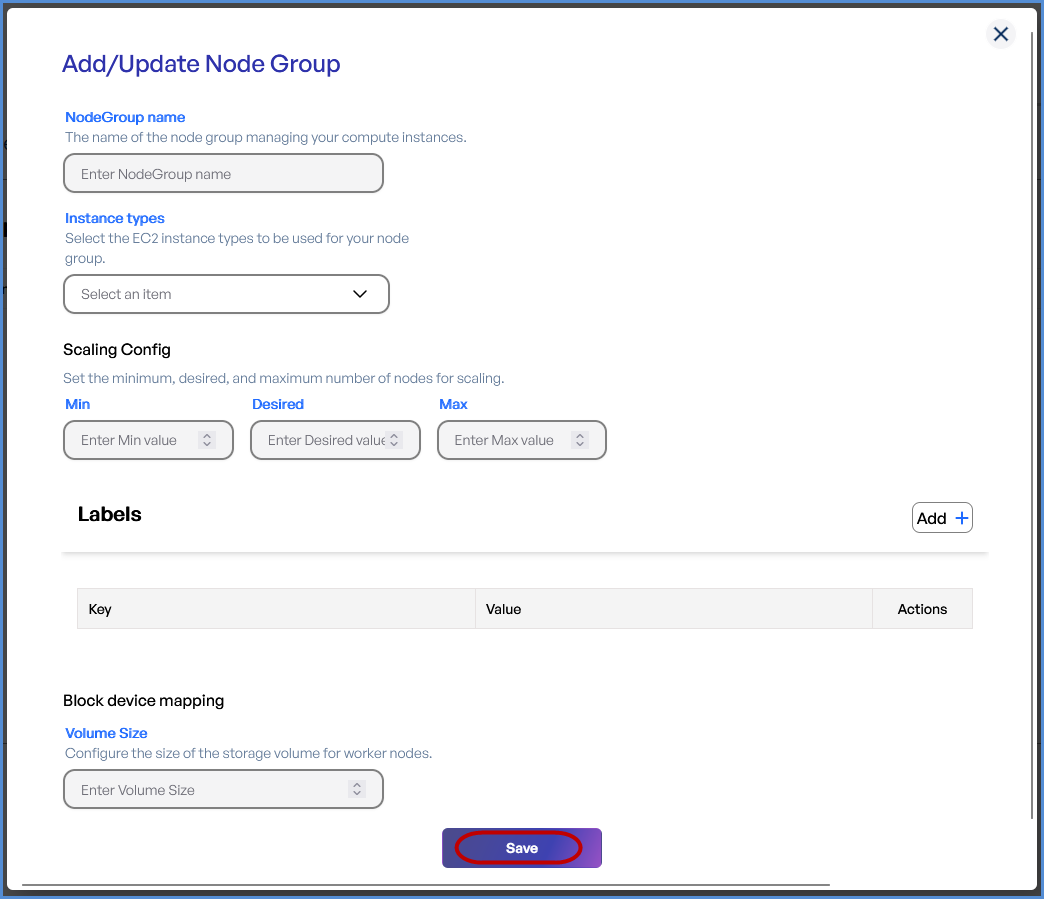
Step 3: Node Groups
- Click + to Add a Node Group.
-
Provide a Node Group Name.
-
Select the desired Instance Types from the drop down.
-
Configure Scaling Settings:
-
Set Minimum, Desired, and Maximum number of nodes.
-
-
Add Labels by entering Key-Value pairs.
-
Define the Volume Size which should be a Minimum of 30GB.
- Click Save and then Next.
Tip: Taints can be applied from the second node group:
- Enter the Key and Value for the Taints.
- Choose the Effect for scheduling of pods.

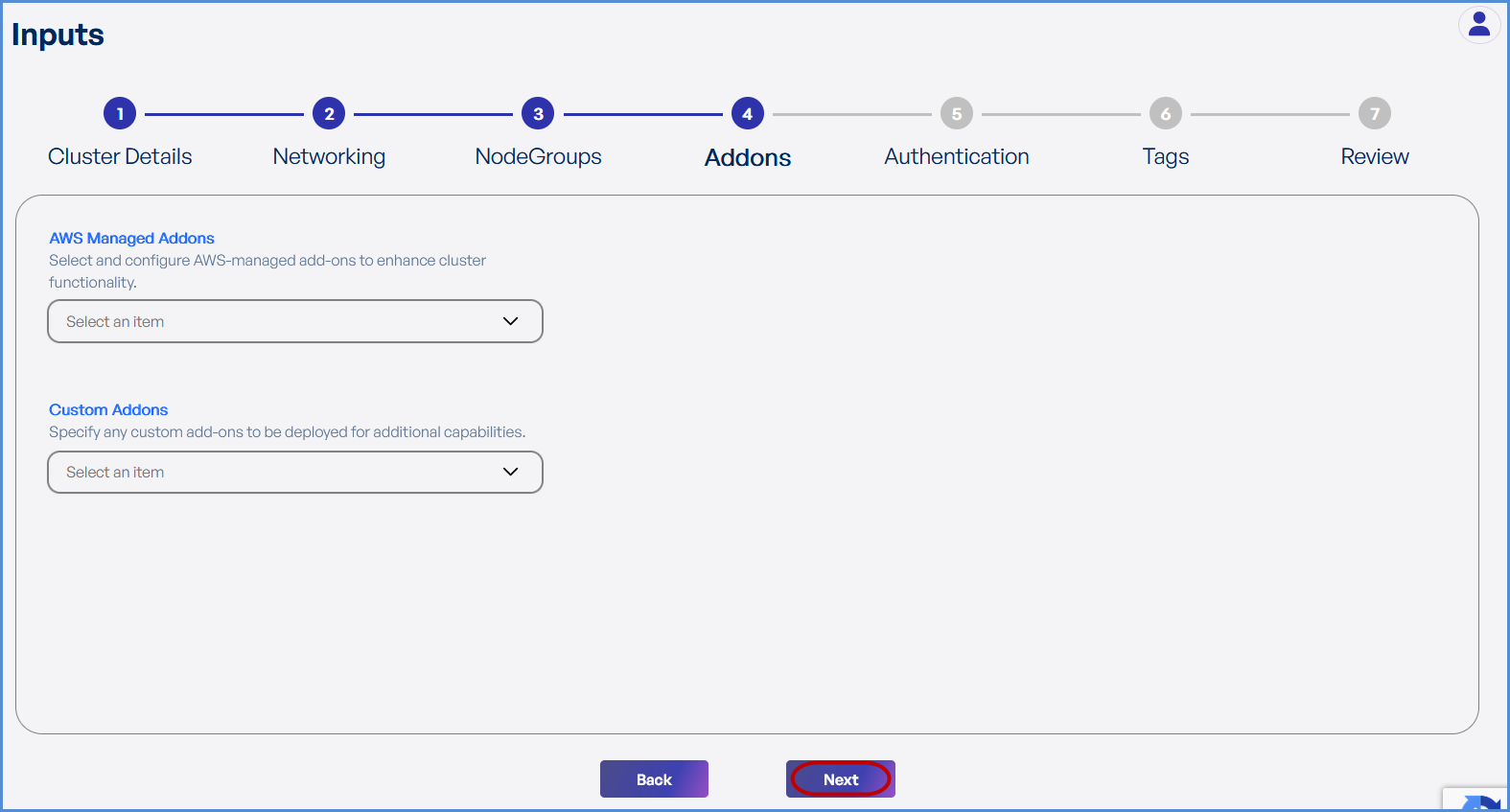
Step 4: Add-ons
-
Choose the required AWS Managed Add-ons from the drop down .
-
Choose the desired Custom Add-ons from the drop down.
- Click Next.
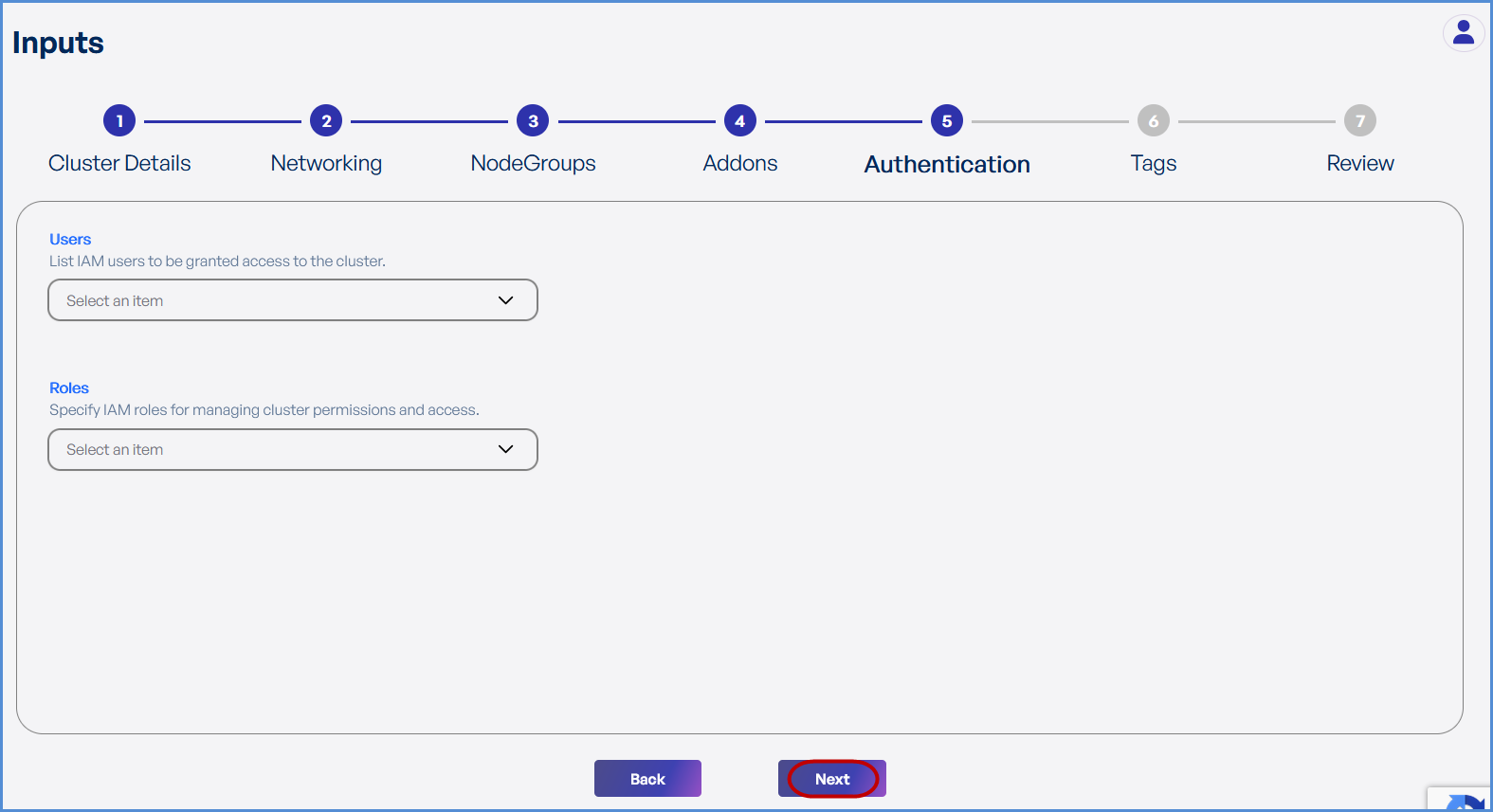
Step 5: Authentication
-
Choose the existing IAM Users and Roles from the drop down to grant ADMIN access to EKS environment.
The Role with suffix -XopsRole-### is created at the time of account integration and will get an admin role by default.
- Click Next.
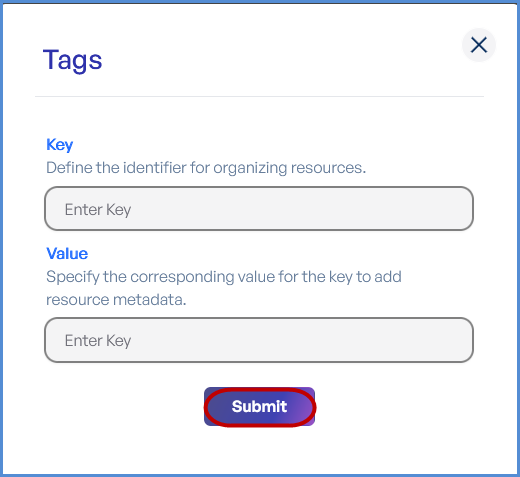
Step 6: Tags
-
Click Add to enter Key-Value pairs for tagging resources.
-
Click Submit and then Next.
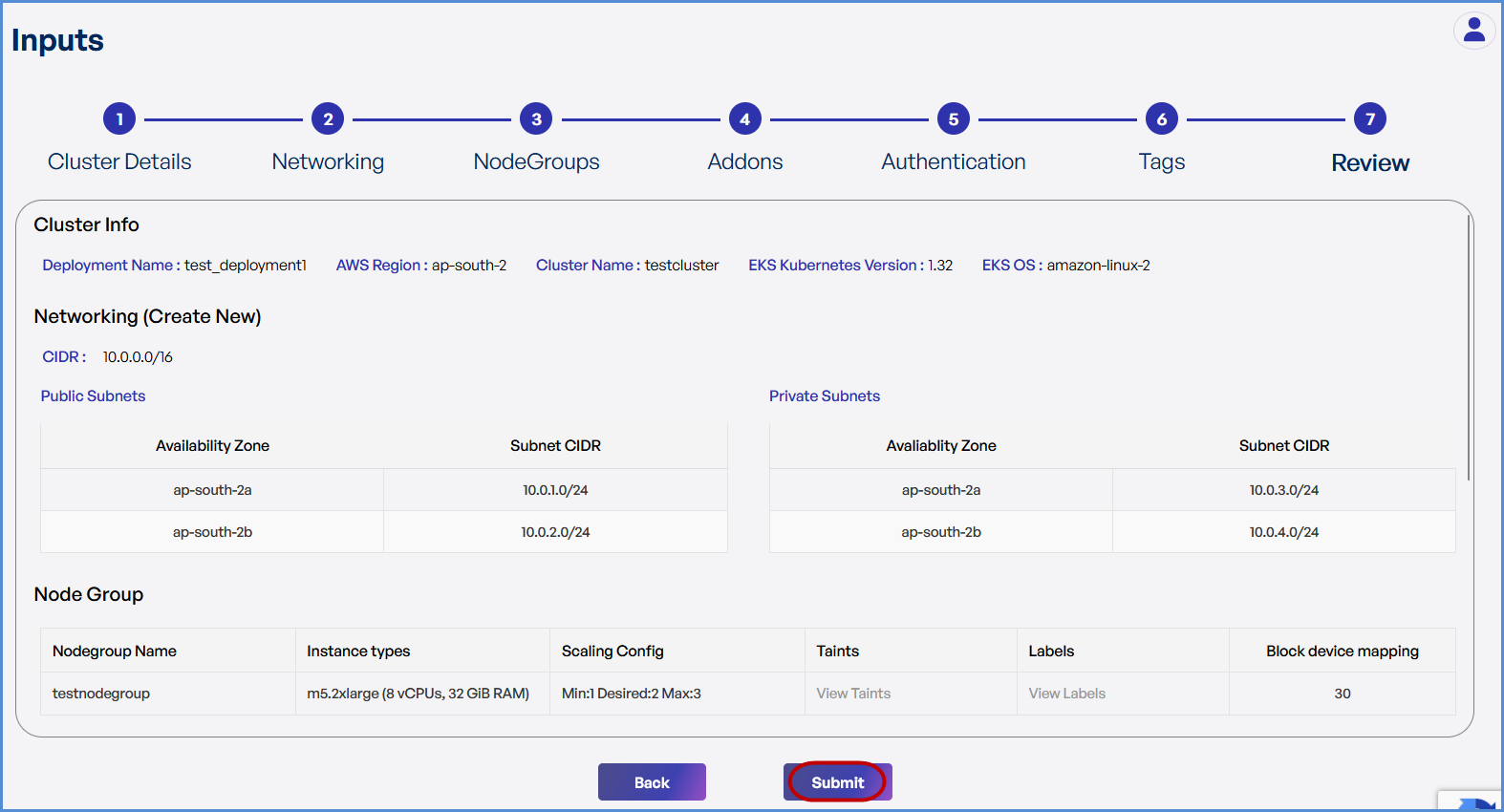
Step 7: Review and Deployment
-
Review all configuration details.
-
Click Submit.
Note: To make modifications, navigate back through each step sequentially and apply the necessary changes before proceeding.
-
The system redirects to the Deployments Page, displaying a loader.
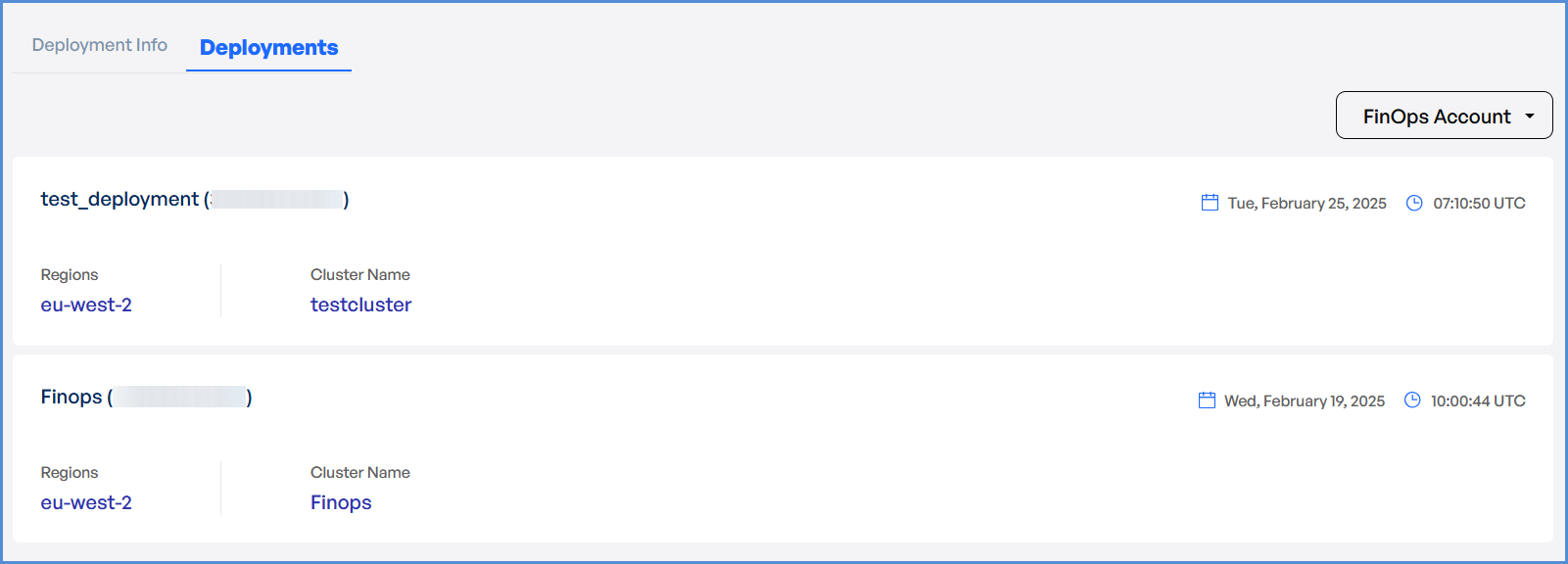
- Once deployment is completed:
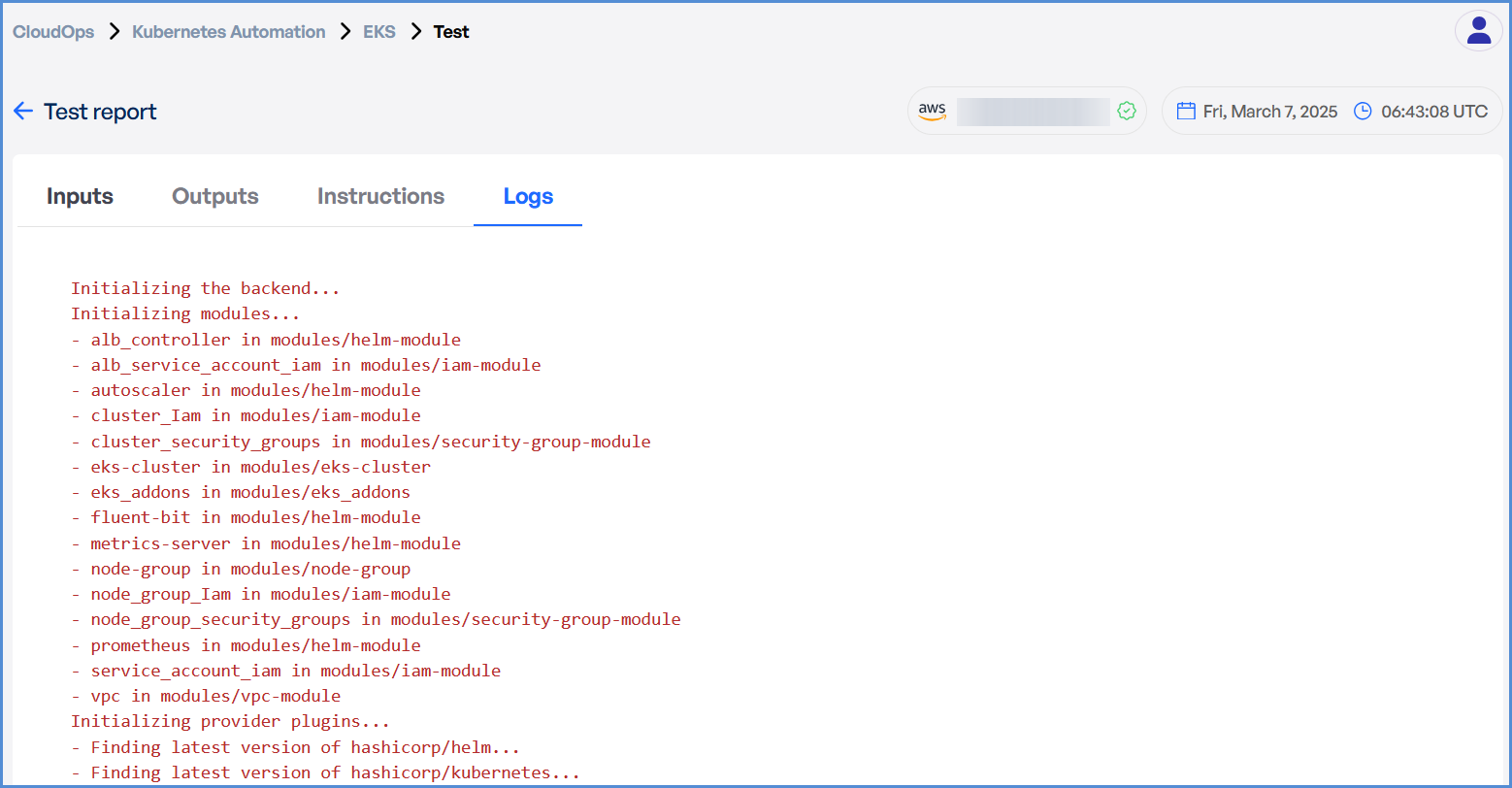
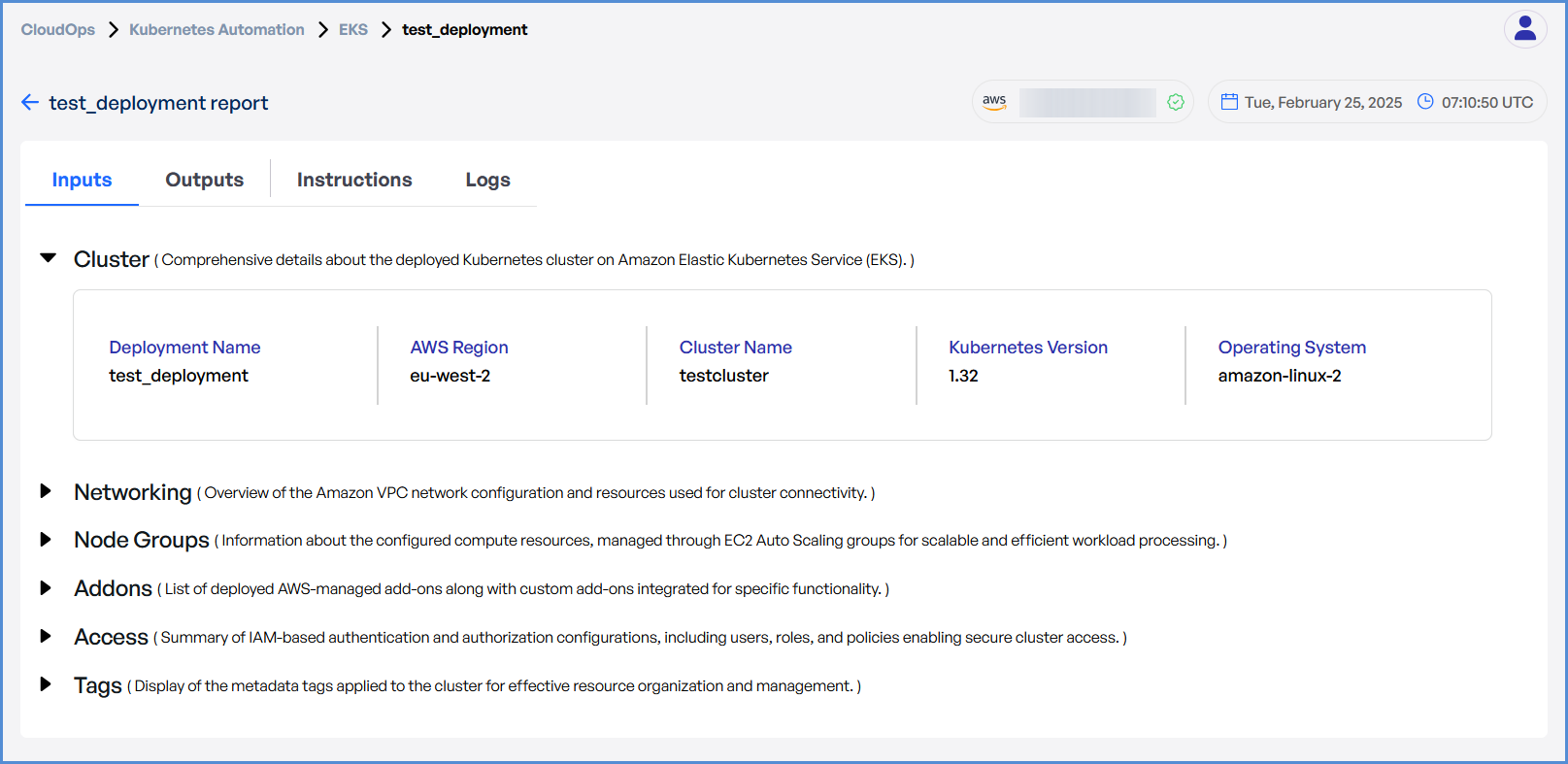
- Click on the Deployment to view Inputs, Outputs, Instructions, and Logs.
- In case of an EKS deployment failure, click on the failure message to access the detailed logs.

Note: The error message will vary depending on the stage at which the deployment failure occurs.
- Analyze the logs to identify the root cause and take appropriate corrective actions.