Generating a Cloud FinOps Report
Generating a Cloud FinOps Report
To generate a Cloud FinOps report using the X-Ops AI Assistant, follow these steps:
-
Log in to the Platform
- Access the platform and sign in using your credentials.
-
Access AI Assistant
-
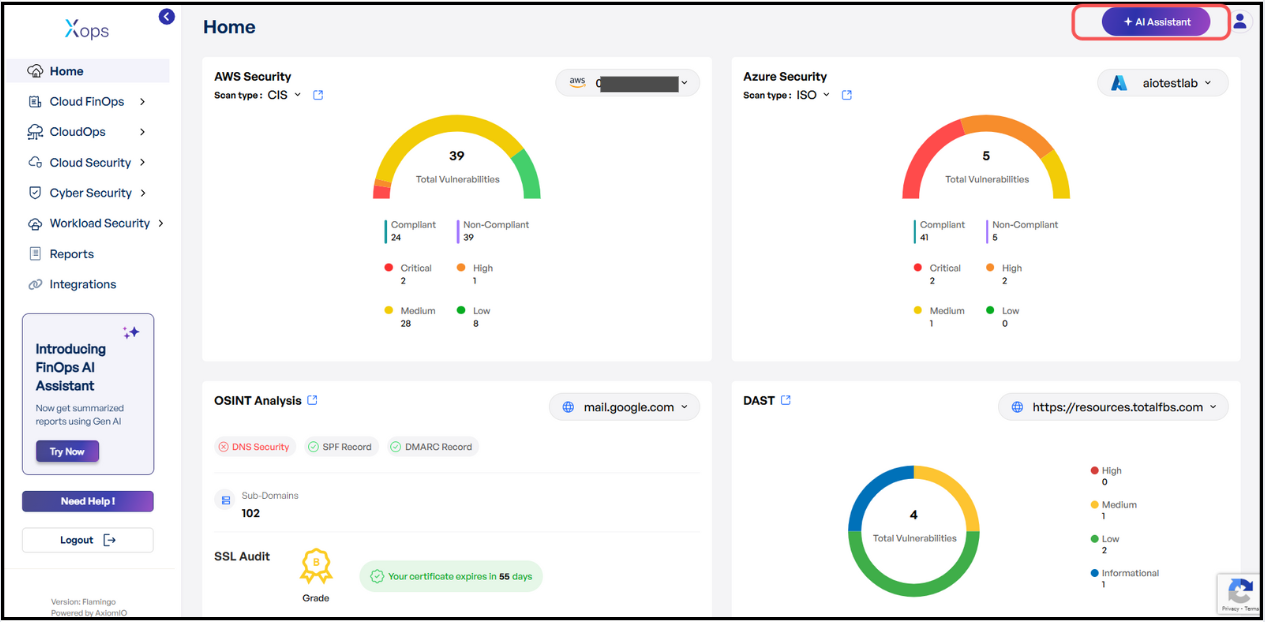
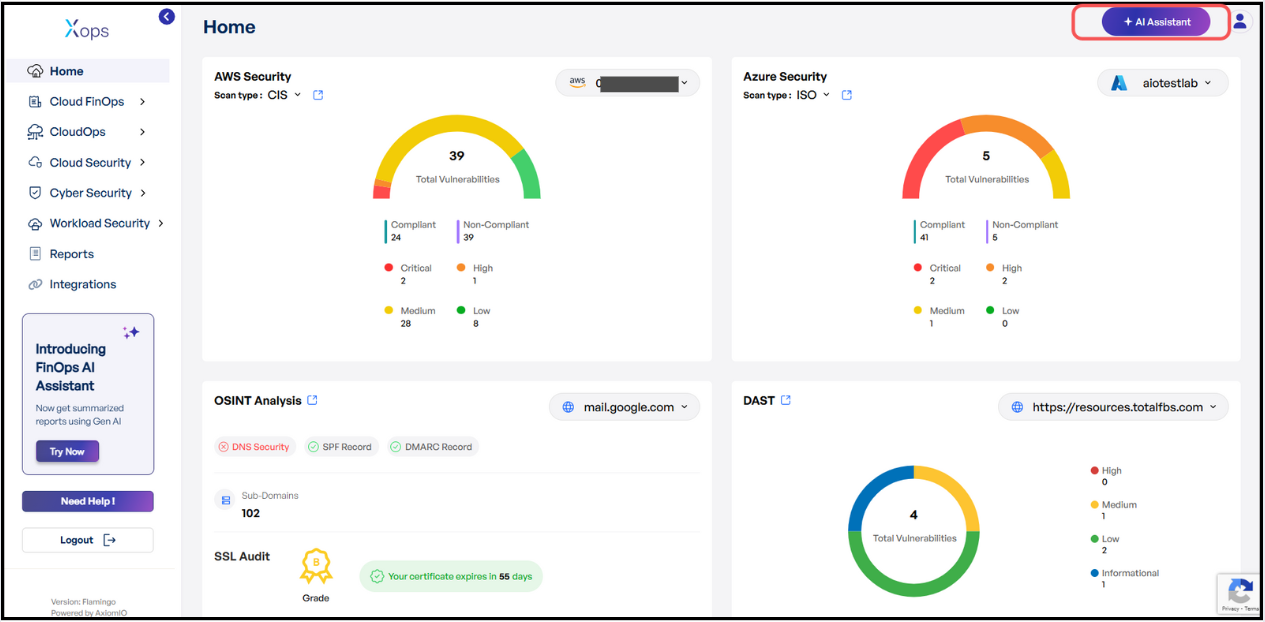
Locate the AI Assistant icon in the top right corner of the screen and click on it.
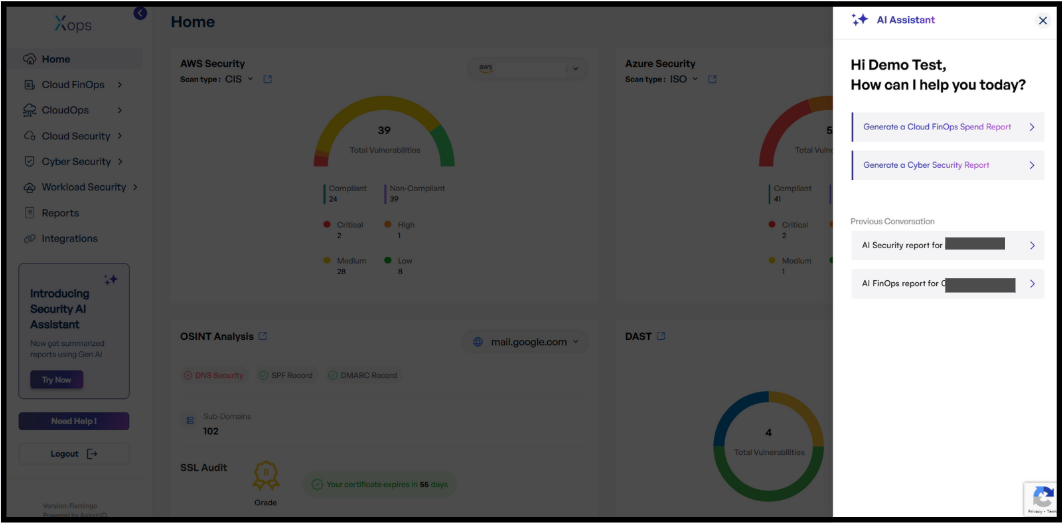
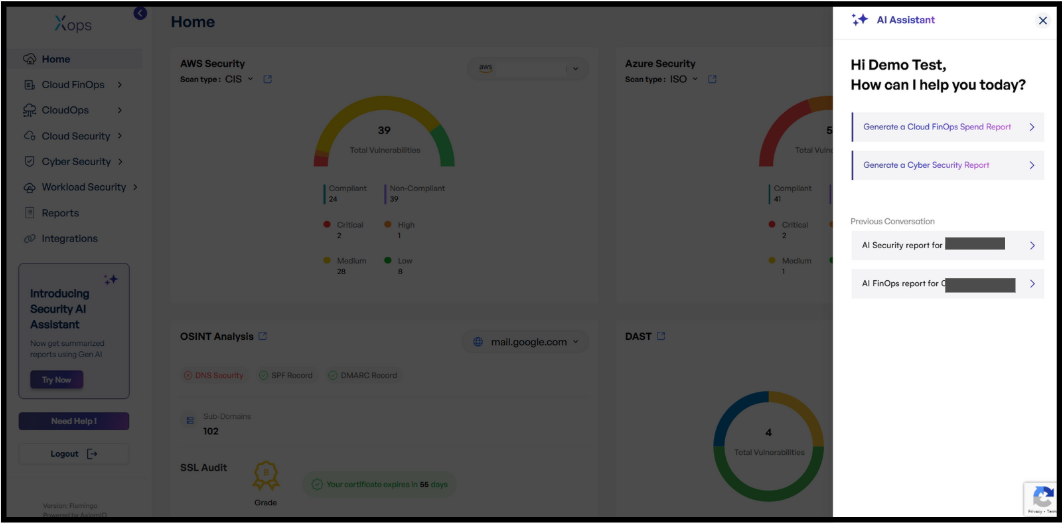
- This action will open the AI Assistant, it will open as a side panel on the right side of the page.
-
- Report Generation
-
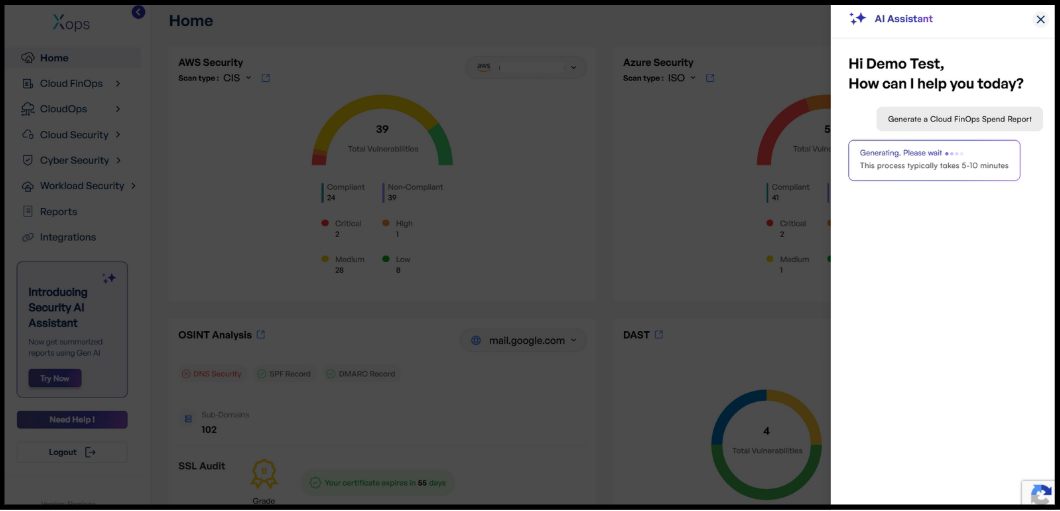
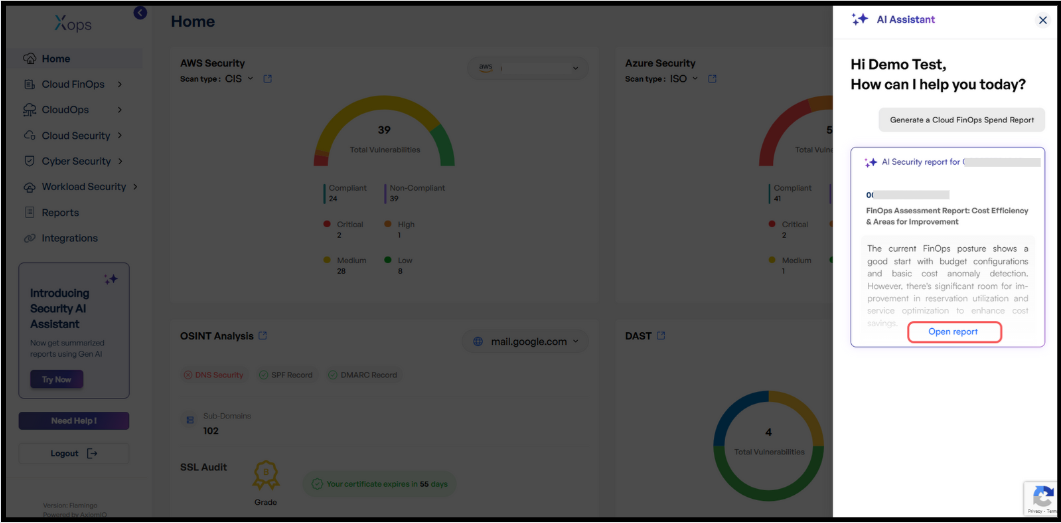
- Select Generate a Cloud FinOps Report from the options displayed.
-
The AI Assistant will automatically begin generating the FinOps report for the management account integrated with the X-Ops application.
-
The report generation process typically takes between 5 to 10 minutes.
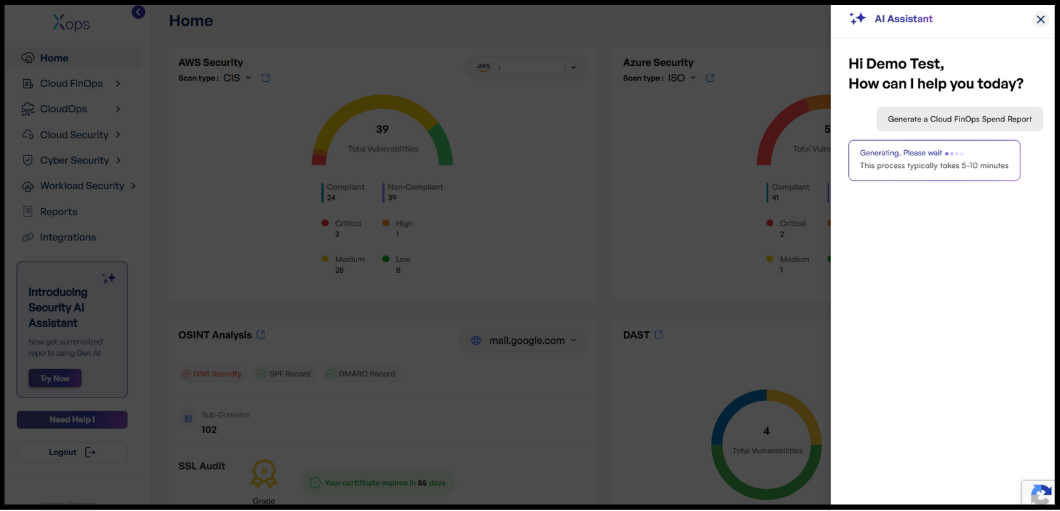
- Select Generate a Cloud FinOps Report from the options displayed.
-
- Receiving and Viewing the Report
-
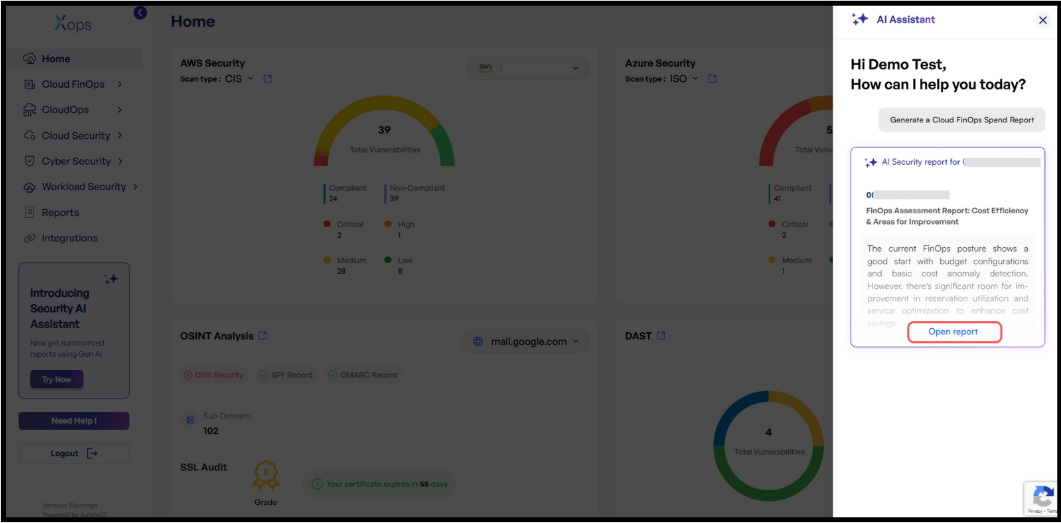
Once the report is ready, you will receive a report with an Open Report option.
-
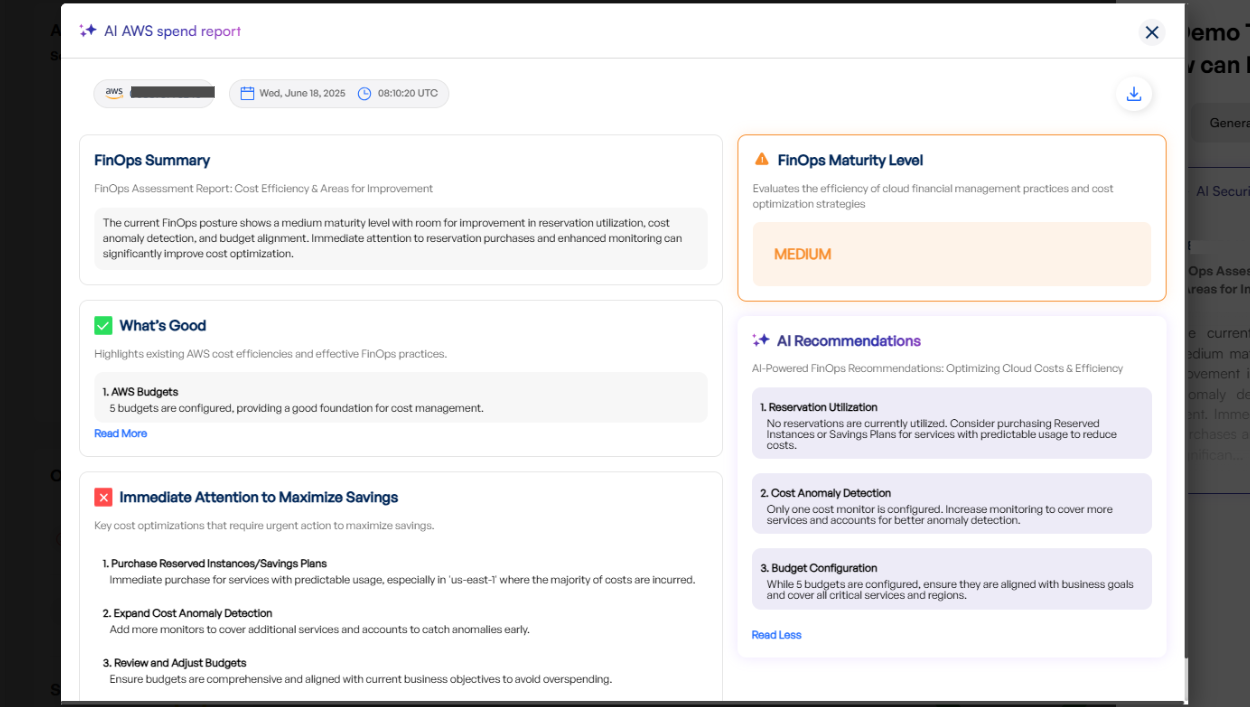
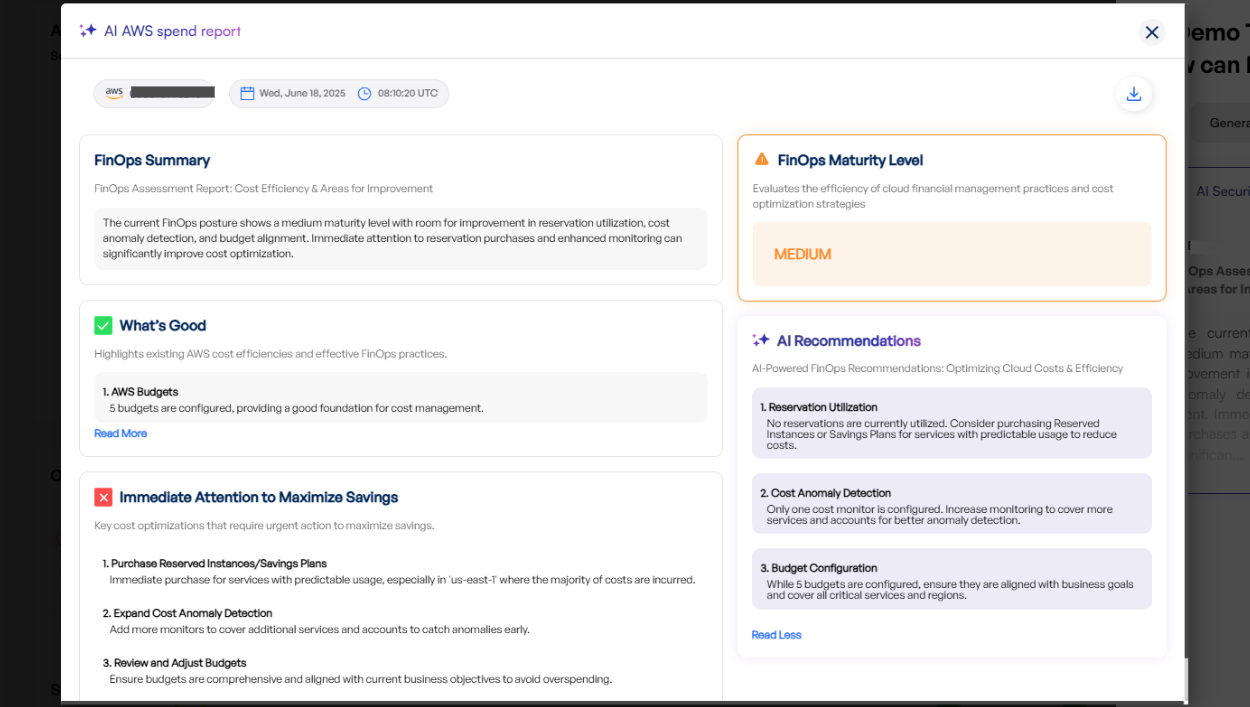
Click Open Report to view the complete FinOps report.
-
- Downloading the Report
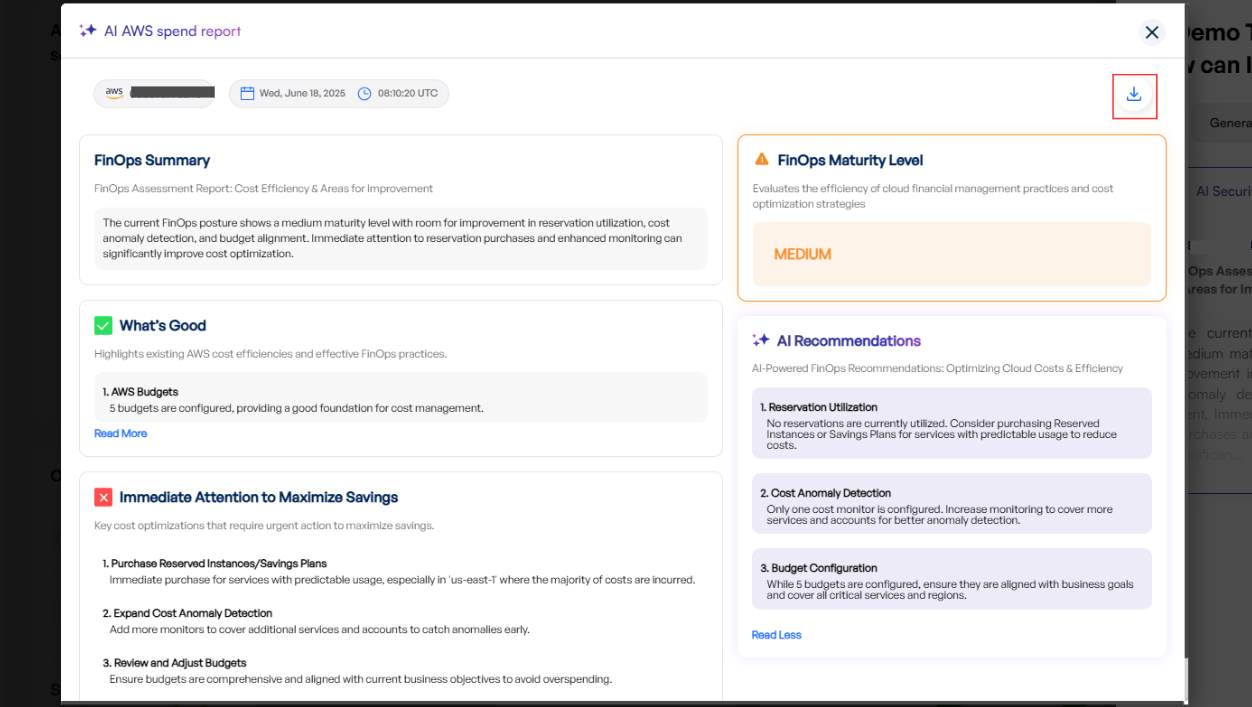
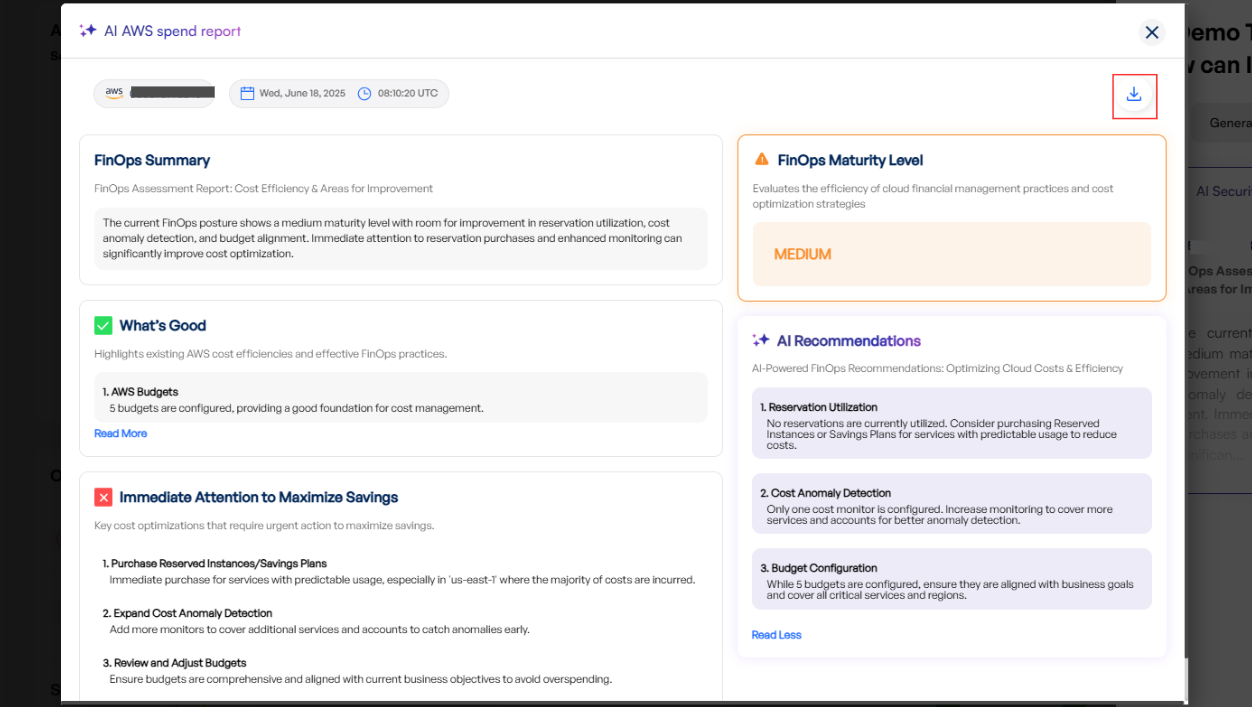
- Inside the report view, locate the Download button at the top right corner.
-
Click Download to save the report to your device.